Hosted Getting Started
This is the fastest path for a new hosted OpenClaw VPS customer.
Start your hosted bot
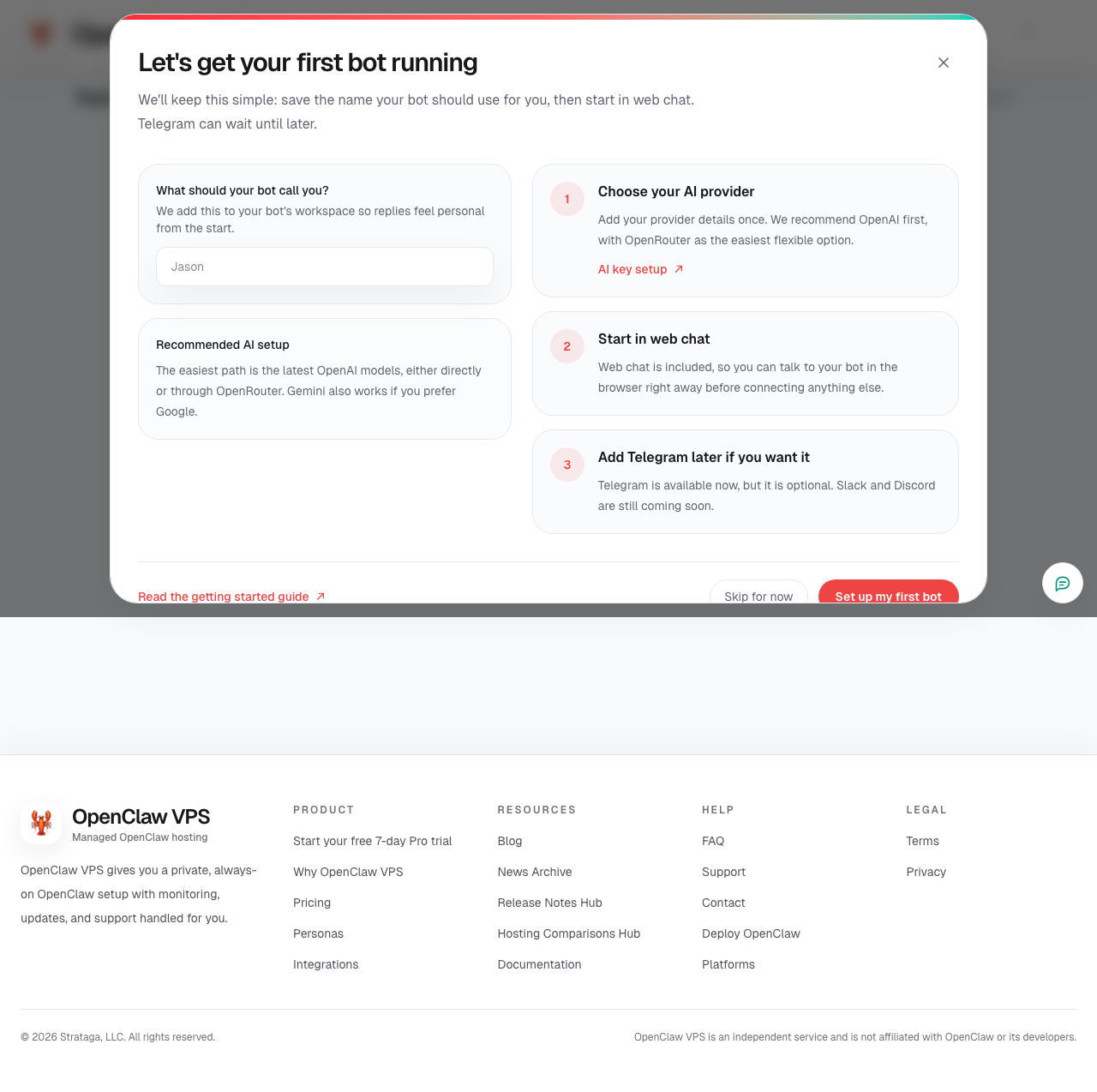
Use the deploy flow in the dashboard to create your first hosted bot.
Add your own model key
Open the AI key setup guide if you want help choosing and adding a supported key.
Start in web chat
As soon as the bot is ready, open the Chat tab in the dashboard and start using it in the browser.
Connect Tailscale only if you need a private path
If the bot needs internal systems or private-only web chat, connect your customer-owned Tailscale tailnet in the Config tab. Start with public or both before moving to private only.
Add Telegram when you want an external channel
Telegram is the first messaging app available today for hosted bots. Follow the Telegram guide when you are ready.
Upload files
Use the Files tab to upload working files, prompts, reference material, and assets tied to the bot.
Review billing and trial timing
Read the trial and billing guide so you know what happens after the 7-day Pro trial.
If You Get Stuck
Use the customer portal support ticket flow or reply to support emails. Hosted OpenClaw VPS includes help with setup, billing, private networking, attachments, and day-to-day issues.
What The First Step Looks Like