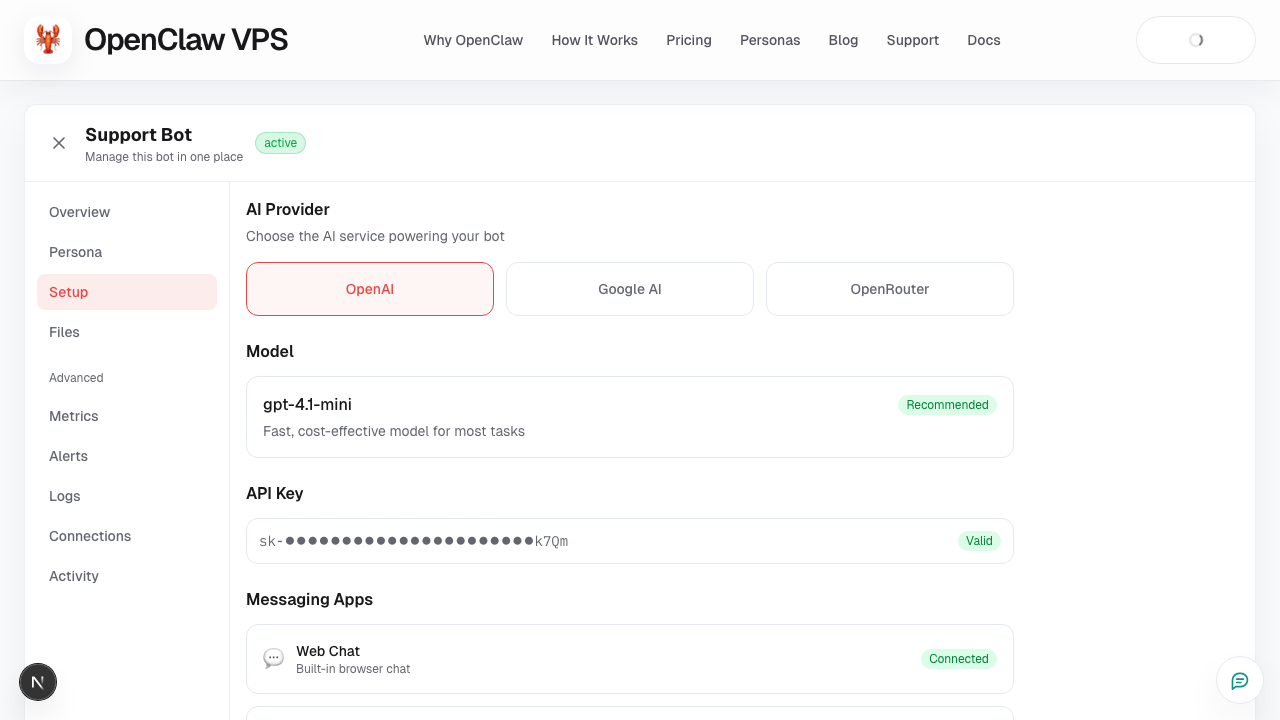
Tab: Setup
What this page covers
- What this feature is for
- Where to find it in the dashboard
- The quickest way to use it safely
How to use this page
- Follow the steps top to bottom once.
- Use the screenshot to match the right UI area.
- Use the Related links for deeper troubleshooting.
Use Setup for all core configuration.
You manage here
- AI provider key and model path
- channel settings (web/Telegram)
- foundational runtime options
Common setup order
- Add AI key
- Verify model/provider path
- Test in web chat
- Add Telegram (optional)
Related
Screenshot